When you first try to set up IPTV on your Firestick or Android TV, you probably feel frustrated by the number of steps. Typing long URLs into your remote is not fun, and many guides online leave out small but important details. That is where the TiviMate Downloader Code comes in. With it, you can skip the hassle and set up your IPTV player quickly. This guide will walk you through everything you need to know: how to get the code, how to install TiviMate correctly, and how to make your IPTV experience smooth and enjoyable.
You want a setup that works the first time without confusion. By the end of this article, you will have a clear path from start to finish, plus useful tips for troubleshooting and improving your streaming. And if you want to pair TiviMate with a reliable IPTV service, you can try IPTV UK Player with a 24 to 48 hour free trial.
Table of Contents
What is the TiviMate Downloader Code?
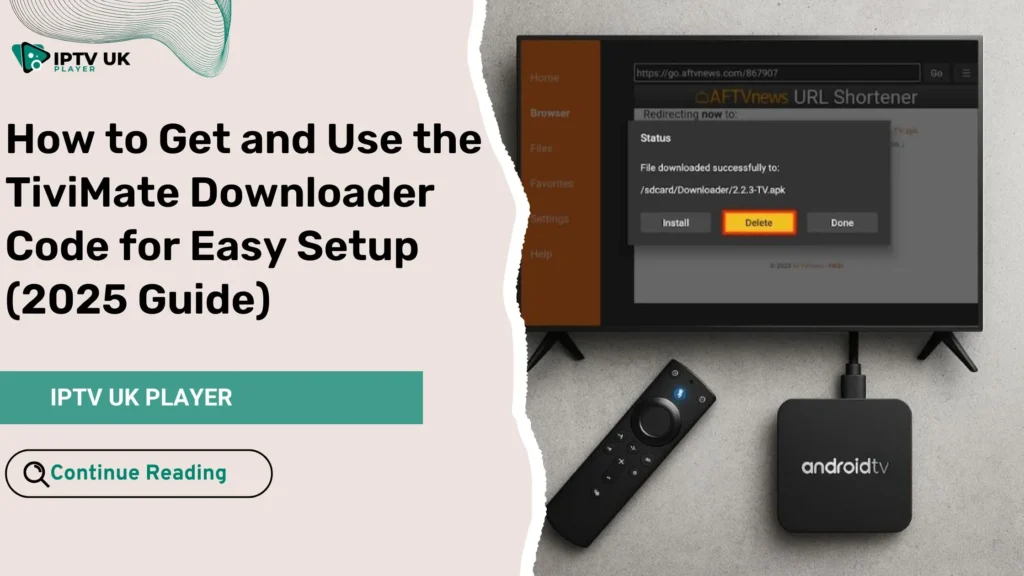
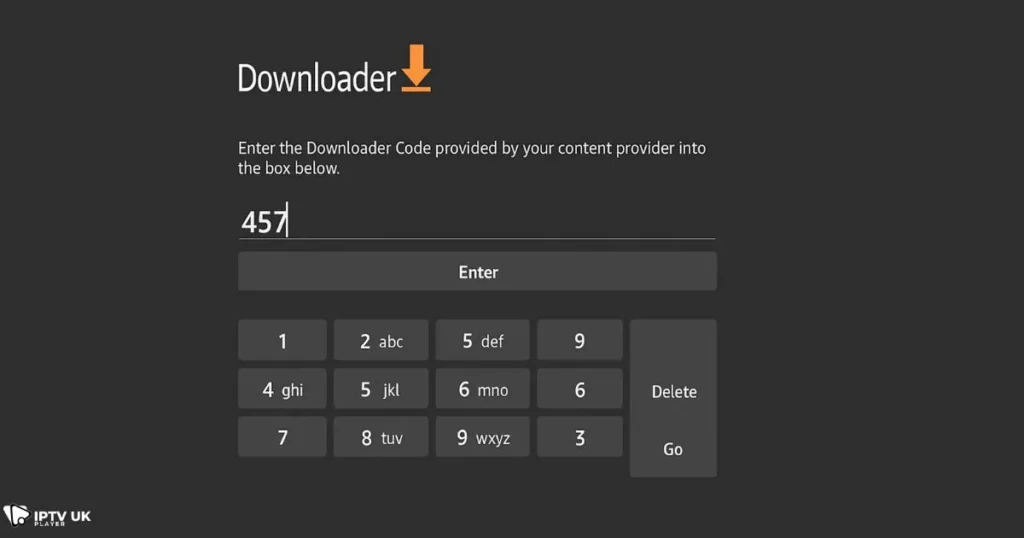
The TiviMate Downloader Code is a short numeric code that you enter into the Downloader app. Instead of typing a long URL, you only use a few numbers. This saves time and reduces errors, especially when using the small Firestick remote.
The Downloader Code acts like a shortcut link: once entered, it directs the Downloader app to fetch the correct APK file for TiviMate. It is most often used on Firestick, Android TV, and NVIDIA Shield. For anyone who is looking to make IPTV setup less of a headache, the TiviMate Downloader Code is an essential tool.
Why Choose TiviMate for IPTV Streaming?
You might wonder why so many IPTV users recommend TiviMate. The answer lies in its features and its interface. Here are some key reasons:
- A clean and modern design that feels like a traditional TV guide
- Powerful tools such as playlist support, EPG integration, and catch-up TV
- Compatibility with Firestick, Android TV, and other IPTV devices
- Regular updates and a supportive user community
TiviMate is one of the most user-friendly IPTV players you can find. Once installed, it pairs perfectly with services like IPTV UK Player, which provides strong servers and multiple subscription plans. If you want to explore competitive plan options, you might want to look at a detailed comparison of the best UK IPTV offers available in 2025 for insights on saving money.
Step-by-Step Guide to Download TiviMate Using Downloader Code
Preparing Your Device
Before you use the Downloader Code, you need to prepare your Firestick or Android device:
- Go to Settings on your device.
- Enable installation from unknown sources.
- Download the Downloader app from the Amazon App Store or Google Play.
Entering the TiviMate Downloader Code
Once you have the Downloader app open:
- Launch Downloader.
- Select the input field where you usually type a URL.
- Enter the numeric TiviMate Downloader Code.
- Press Go, and Downloader will fetch the APK.
Here is a quick table showing common devices and their relevant codes:
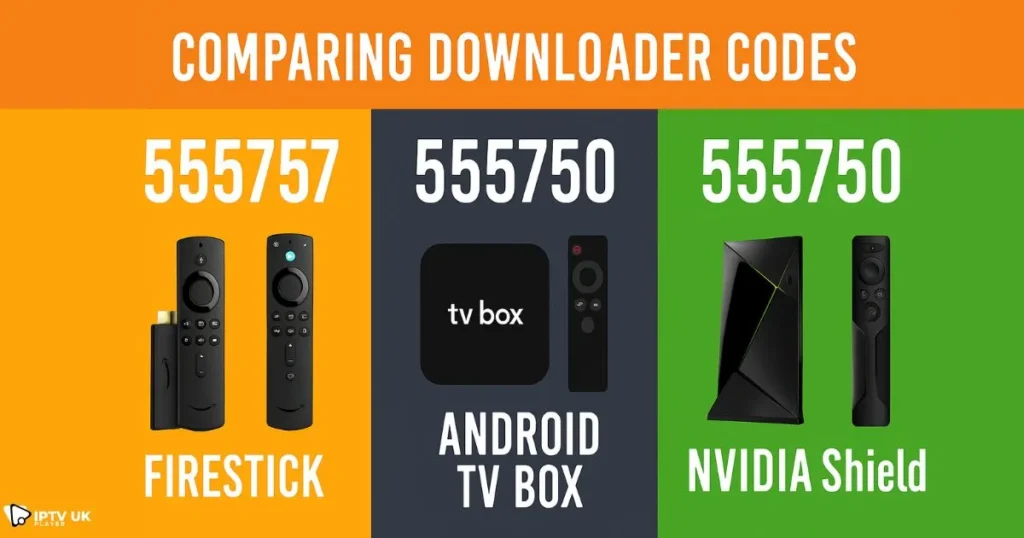
| Device | Downloader Code | Notes (Version/Update) |
|---|---|---|
| Firestick | 272483 | Latest 2025 update |
| Android TV Box | 272483 | Stable version |
| NVIDIA Shield | 272483 | Optimized build |
Completing the Installation
Once the APK downloads, you:
- Select Install
- Accept the necessary permissions
- Wait a few seconds for the process to finish
- Open TiviMate from your app list
TiviMate Setup After Installation
Adding Your IPTV Subscription
After you have TiviMate installed:
- Launch the app
- Select Add Playlist
- Enter your IPTV subscription details (M3U URL or Xtream Codes)
- Add your EPG source so the TV guide shows correctly
This is where IPTV UK Player stands out. It provides both M3U and Xtream Codes, ensuring that setup in TiviMate is quick and seamless.
Best TiviMate Settings for Smooth Streaming
To make sure your IPTV runs without issues, adjust these settings:
- Buffer size: set it to Medium or High for fewer freezes
- Playlist management: remove old or unused playlists to keep things tidy
- Multi-view: enable if you want to watch more than one channel at once
If you are interested in using TiviMate on PC, you can check a guide on how to install it on Windows to expand your setup beyond TV devices.
TiviMate Downloader Code Alternatives (If One Doesn’t Work)
Sometimes codes change or stop working. Here are alternatives:
- Use the direct APK link in the Downloader app instead of the numeric code
- Install via a USB drive if your device allows it
- Try another IPTV downloader app
Always keep a backup method in mind so you do not get stuck.
TiviMate Pro vs Free: Which Should You Choose?
TiviMate has both a free and a paid version. The Pro version unlocks advanced features:
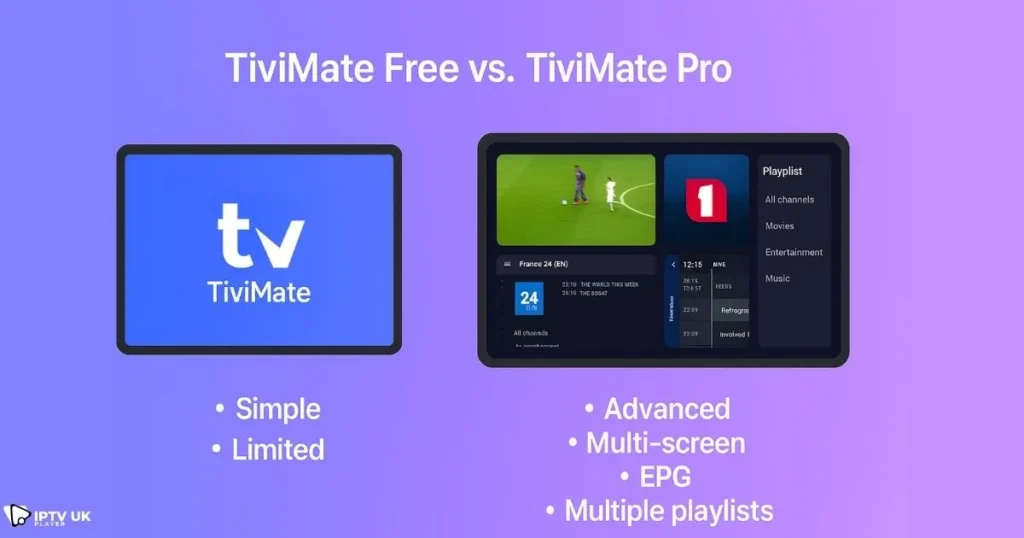
| Feature | Free Version | TiviMate Premium (Pro) |
|---|---|---|
| Number of Playlists | 1 | Multiple |
| EPG Support | Basic | Advanced + Catch-Up |
| Multi-View | No | Yes |
| Price | Free | Small yearly fee |
If you are serious about IPTV, the Pro version is worth it. Paired with a reliable service like IPTV UK Player, you get a stable, high-quality experience. If you are curious about other IPTV players, you might want to explore some alternatives to TiviMate available in 2025.
Common Issues with TiviMate Downloader Code (and How to Fix Them)
- Downloader Code not working: Try a different code or update the Downloader app.
- App not installing: Clear the cache, restart the Firestick, and try again.
- Playlist not loading: Confirm that your IPTV subscription is active and stable.
Troubleshooting is usually simple, and once resolved, you can enjoy smooth IPTV streaming.
TiviMate Tips and Tricks for the Best IPTV Experience
- Use favorites to group your most-watched channels together
- Set up parental controls to limit access to certain content
- Customize your EPG layout for a more personalized look
- Sync playlists across multiple devices for convenience
If you want more help using TiviMate on Firestick specifically, you can follow a detailed Firestick setup guide that walks through installation on that device.
Why IPTV UK Player is the Best Choice with TiviMate
Choosing the right IPTV service is just as important as the player itself. IPTV UK Player offers:
- Reliable servers that keep streams stable
- Multiple subscription plans to fit your budget
- A 24 to 48 hour free trial so you can test quality before committing
For many users, pairing TiviMate Premium with IPTV UK Player creates the ultimate IPTV solution.
Frequently Asked Questions about TiviMate Downloader Code
What is the TiviMate Downloader Code for Firestick?
The TiviMate Downloader Code for Firestick is a numeric shortcut that lets you quickly install the TiviMate APK without typing a long URL.
Is TiviMate Downloader Code Safe to Use?
Yes, as long as you get the code from a trusted source. Always make sure your device settings allow safe installations.
Can I Install TiviMate Without the Downloader App?
Yes, you can use direct APK links, USB transfers, or other installer apps, though Downloader is the most common method.
Do I Need a VPN with TiviMate?
While TiviMate itself is safe, using a VPN can help protect your privacy and prevent throttling from internet providers. A guide from TechRadar explains the best VPNs for streaming in 2025.
Does TiviMate Work with IPTV UK Player?
Yes, IPTV UK Player integrates seamlessly with TiviMate, making it easy to set up playlists and enjoy high-quality streaming.
Conclusion: Get Your TiviMate Downloader Code Today
Setting up IPTV does not have to be complicated. With the TiviMate Downloader Code, you can install and start using TiviMate in just minutes. Once installed, you can connect your IPTV subscription, customize settings, and enjoy a smooth, reliable TV experience.
Now is the perfect time to give it a try. Test IPTV UK Player with a free trial and see how well it works with TiviMate. Say goodbye to confusing installs: enter the code, follow the steps, and start streaming right away.
For British IPTV fans who want reliability and ease of use, this is the setup you have been looking for.