You probably remember the first time you heard about IPTV and how exciting it sounded: live TV, sports, movies, and series available on almost any device. Then reality hits. You receive login details, strange app names, and technical terms that make the setup feel harder than it should be. If you are here, you want clarity, not confusion. This guide is written for you, step by step, with real explanations that help you understand what you are doing and why it works.
This article focuses on IPTV Xtream Code because it is the most stable and user-friendly way to access United Kingdom IPTV services today. By the end of this guide, you will know how to set it up on any device, how to avoid common problems, and how to get the best experience possible using IPTV UK Player.
Table of Contents
What Is IPTV Xtream Code and Why It Matters
iptv xtream code is a login based IPTV system that connects your IPTV player app directly to your provider’s servers. Instead of dealing with long playlist links, you use a simple username, password, and server URL.
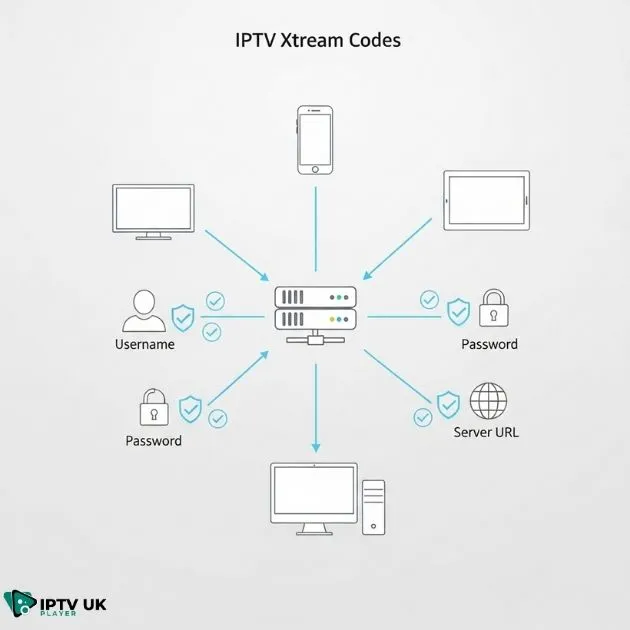
How Xtream Codes Login Works
When you log in using Xtream Codes, your IPTV app communicates with the provider’s system through the IPTV Xtream API. This allows the app to automatically load:
- Live TV channels
- Video on demand movies
- TV series and episodes
- EPG or TV guide data
This is why iptv xtream code is preferred by both providers and users. It is faster, easier to update, and less prone to errors compared to manual playlists.
Xtream Codes vs M3U Playlist
You might wonder why so many providers now recommend Xtream Codes instead of M3U. The answer is simple: reliability and comfort.
- Xtream Codes load content dynamically
- EPG updates automatically
- No need to replace expired playlist links
- Better compatibility with modern IPTV apps
This is why IPTV UK Player delivers services using iptv xtream code for all supported devices.
What You Need Before Starting IPTV Xtream Setup
Required Login Details
Before you begin your IPTV Xtream setup, make sure you have the following information from your provider:
- Server URL (example: http://server:port)
- Username
- Password
These details are usually sent by email or WhatsApp immediately after activation. With IPTV UK Player, you receive them instantly, including support if you need help.
Internet Speed and Device Requirements
Your streaming quality depends heavily on your internet connection. Here are safe recommendations:
- SD streaming: minimum 10 Mbps
- HD streaming: minimum 20 Mbps
- 4K streaming: 40 Mbps or higher
Whenever possible, use a wired Ethernet connection for stable performance. This is especially important when using iptv xtream code on Smart TVs or Android boxes.
Best IPTV Xtream Code Player Apps for Every Device
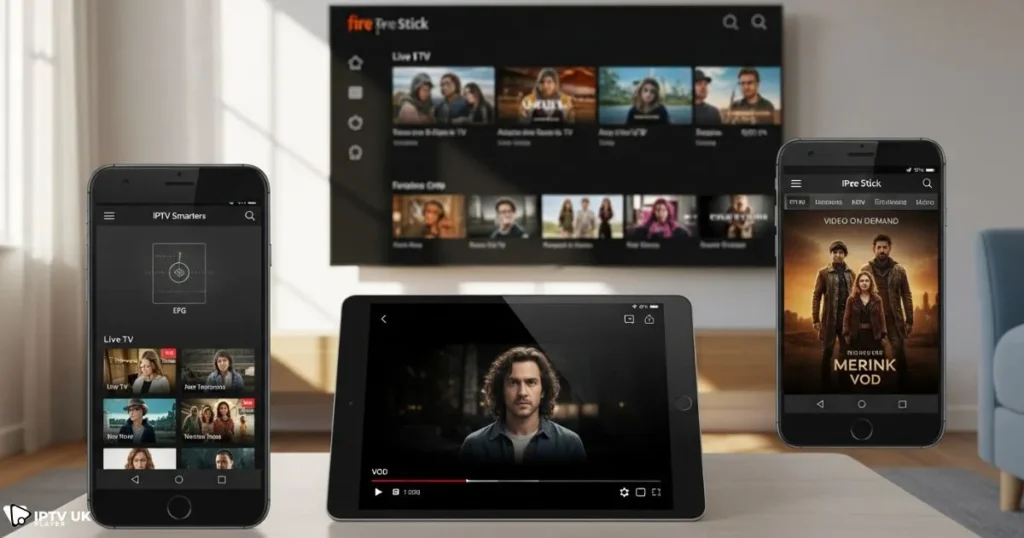
Choosing the right Xtream Code player makes a big difference in your experience. Below is a clear overview of popular and reliable apps.
| Device | Recommended App | Cost | Notes |
|---|---|---|---|
| Android | IPTV Smarters Pro | Free | Stable and beginner friendly |
| Firestick | IPTV Smarters | Free | Optimized for remote control |
| iOS | Smarters Player Lite | Free | App Store compliant |
| Smart TV | Smart IPTV, NET IPTV | Paid | Depends on TV brand |
| Windows, Mac | IPTV Smarters, VLC | Free | Advanced options available |
How to Set Up IPTV Xtream Code on Android Devices
Android is one of the easiest platforms for IPTV. Follow these steps carefully.
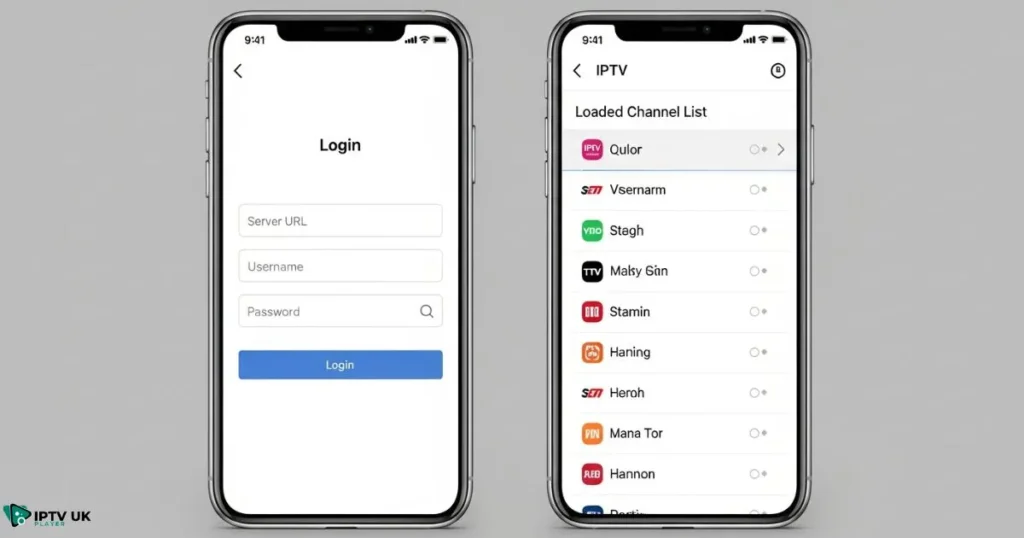
Step by Step Android Setup
- Download IPTV Smarters Pro from Google Play Store
- Open the app and select Login with Xtream Codes API
- Enter your server URL, username, and password
- Click Add User
- Wait while channels and content load
Within seconds, your iptv xtream code setup is complete and ready to use.
How to Set Up IPTV Xtream Code on Amazon Firestick
Firestick users enjoy smooth IPTV playback when setup is done correctly.
Firestick Installation Steps
- Enable Apps from Unknown Sources in settings
- Install Downloader app from Amazon Store
- Download IPTV Smarters APK
- Install and open the app
- Login using Xtream Codes API
This method gives you full access to your IPTV service using iptv xtream code without restrictions.
How to Set Up IPTV Xtream Code on Smart TVs
Samsung and LG Smart TVs
Samsung and LG TVs often require apps like Smart IPTV or NET IPTV. These apps use MAC address activation. Some versions also support Xtream Codes login directly.
- Install the IPTV app from the TV store
- Open the app and note the MAC address
- Activate through provider dashboard
Android TV Setup
Android TVs follow the same process as Android boxes. Install IPTV Smarters, enter your details, and enjoy full service with iptv xtream code.
How to Set Up IPTV Xtream Code on iPhone and iPad
Apple devices require apps that comply with App Store rules.
iOS Setup Guide
- Download Smarters Player Lite from App Store
- Open the app and select Xtream Codes login
- Enter your credentials
- Allow content to load
Using iptv xtream code on iOS ensures smoother performance compared to M3U playlists.
How to Set Up IPTV Xtream Code on Windows and Mac
Desktop users have multiple options.
Using IPTV Smarters for PC
- Download official IPTV Smarters software
- Login using Xtream Codes API
- Customize player settings
Using VLC Media Player
VLC supports Xtream Codes through network streams but requires advanced configuration. It is recommended for experienced users only.
Common IPTV Xtream Code Problems and Solutions
Xtream Codes Login Not Working
- Check spelling and letter case
- Verify server URL format
- Confirm subscription status
Buffering or Freezing Channels
- Restart router and device
- Switch IPTV app
- Use wired connection
For deeper technical details, you can also consult trusted references such as Wikipedia’s IPTV overview.
Why IPTV Xtream Code Is Better Than M3U
From daily use and customer feedback, iptv xtream code stands out for its speed and simplicity. Automatic updates, integrated EPG, and app compatibility make it the smarter choice for long term use.
Why Choose IPTV UK Player
IPTV UK Player is built for users who want stability, variety, and clear support. The service works seamlessly with iptv xtream code across all major devices.
- Instant activation
- UK, USA, Canada, and European channels
- Sports, movies, series, and PPV
- Professional support team
If you are looking for a reliable United kingdom IPTV service, IPTV UK Player is designed to meet your expectations.
You can also explore guides on choosing premium IPTV options, device configuration basics, trusted IPTV services in the UK, and how a secure VPN can improve IPTV performance through related resources available on the site.
IPTV Free Trial and Subscription Plans
Before committing, you can test the service with a 24 to 48 hour free trial. This allows you to verify channel quality, app compatibility, and streaming stability using iptv xtream code.
Frequently Asked Questions About IPTV Access
What is IPTV Xtream Code?
It is a secure login system that connects IPTV applications directly to provider servers using a username, password, and server URL.
Can I use this login method on multiple devices?
Yes, depending on your subscription plan and the number of simultaneous connections included.
Which player works best with this login system?
IPTV Smarters Pro is one of the most popular options due to its stability, clean interface, and wide device compatibility.
Does IPTV UK Player support this system?
Yes, all services from IPTV UK Player are fully optimized to work smoothly with this connection method.
Final Thoughts and Call to Action
Setting up IPTV should not feel like solving a puzzle. With the right guidance and a trusted provider, the process becomes straightforward. This guide was created to give you confidence at every step, whether you are new to IPTV or upgrading your setup.
If you want a smooth experience, instant activation, and professional support, start your journey today with IPTV UK Player. Try the free trial, test it on your device, and see how iptv xtream code simplifies your streaming life.